Less Screen Time at Night: A Cutoff Time and Something to Do Instead
The short answer
Pick a time when screens go off, ideally one hour before bed as France’s national health insurance advises, and charge your phone outside the bedroom. Plan what you’ll do instead: read, get ready for tomorrow, talk. Follow the rule for 30 days and log the nights you gave in. If your sleep stays poor, talk to your doctor.
Why evenings in particular
During the day, a screen is often for something: work, replies, directions. At night, it’s mostly for not stopping. You pick up your phone to set the alarm and put it down forty minutes later, after a string of videos you never meant to watch. That time comes out of your sleep, or out of the only quiet hour in your day.
On sleep, France’s national health insurance, the Assurance Maladie, gives clear advice on its page about adult sleep: limit screen use in the evening and ideally stop one hour before bedtime. It also recommends leaving screens in another room, turning off alerts, and not using your phone, tablet or game console during the night.
This advice is easy to understand and hard to follow, because a feed or a string of videos has no end: nothing tells you when to stop. A precise rule and a phone out of reach give you that signal.
If you’ve been sleeping badly for weeks, wake up exhausted, or feel your phone use is out of control and affecting your work or your relationships, talk to your doctor. Sleep problems that last, or compulsive use, call for a health professional’s view, on top of what you can fix yourself.
Set a time
“Less phone at night” means nothing at 10:30 p.m., when you’re on the couch with the screen in your hand, but a time does. Take your usual bedtime, count back one hour, and you have your cutoff: bed at 11, screens down at 10.
Then spell out what the rule covers. It usually takes one of these three forms, from the lightest to the most complete:
- no phone in bed;
- phone down at 10 p.m., TV allowed;
- no screens for entertainment after 10 p.m.
Start with the one you’re almost sure you can keep. The first looks modest, but bed is often where the longest scrolling sessions happen, and it’s enough for many people. It’s also the name of one of the habits you can see in this site’s screenshots: “No screens in bed.”
Plan your exceptions ahead of time. A call with someone close, a Friday movie night, an e-reader with no notifications: decide clearly whether it counts, so you don’t argue with yourself about it every night.
Get the phone out of the bedroom
This one change does more than all the rest, and it’s also the one people resist most. A phone on the nightstand will get checked. In the hallway or the kitchen, you have to get up to reach it, and that small obstacle is enough most nights.
Set up the charger in its new spot today. As long as the cable stays by the bed, the phone will find its way back there. Solve the alarm question with a regular alarm clock or a ringtone loud enough to hear from the hallway.
Also turn off whatever pulls you back to it. Your phone’s Focus mode can be scheduled at a set time and let through only calls from a few contacts. Then nothing buzzes at 10:15 p.m. to give you a reason to check.
Plan what you’ll do instead
An hour without screens is an hour to fill, and if you haven’t planned anything, you’ll pick the phone back up out of boredom. Make a short list of things you actually enjoy, and get what you need ready:
- a book on your pillow, as suggested in the article on reading 20 pages a day;
- your things for tomorrow, your bag, your clothes;
- a shower, a few stretches, or a few minutes sitting in silence, as in the article on how to meditate every day;
- a conversation, a deck of cards, a notebook.
That hour also helps the next morning, since what you prepare at night lightens your morning routine.
Feeling bored the first few nights is normal. You’ve removed a constant source of distraction, and it takes a few days for the book or the notebook to get interesting again. Don’t conclude too quickly that the rule isn’t for you.
Follow the rule for 30 days
Thirty days are enough to see whether the rule holds and what it changes for you. HabitLove has a “Less screen time” challenge among its “30-day challenges,” in the Challenges tab. Its program runs over four weeks: “The basics,” “The moments,” “Replacements,” “Staying on course.” Each day brings a “Today’s tip.” The first ones match what you’ve just read: pick what you want back with the time you gain, measure your starting point in your phone’s screen time report, cut useless notifications, move the phone away at bedtime.
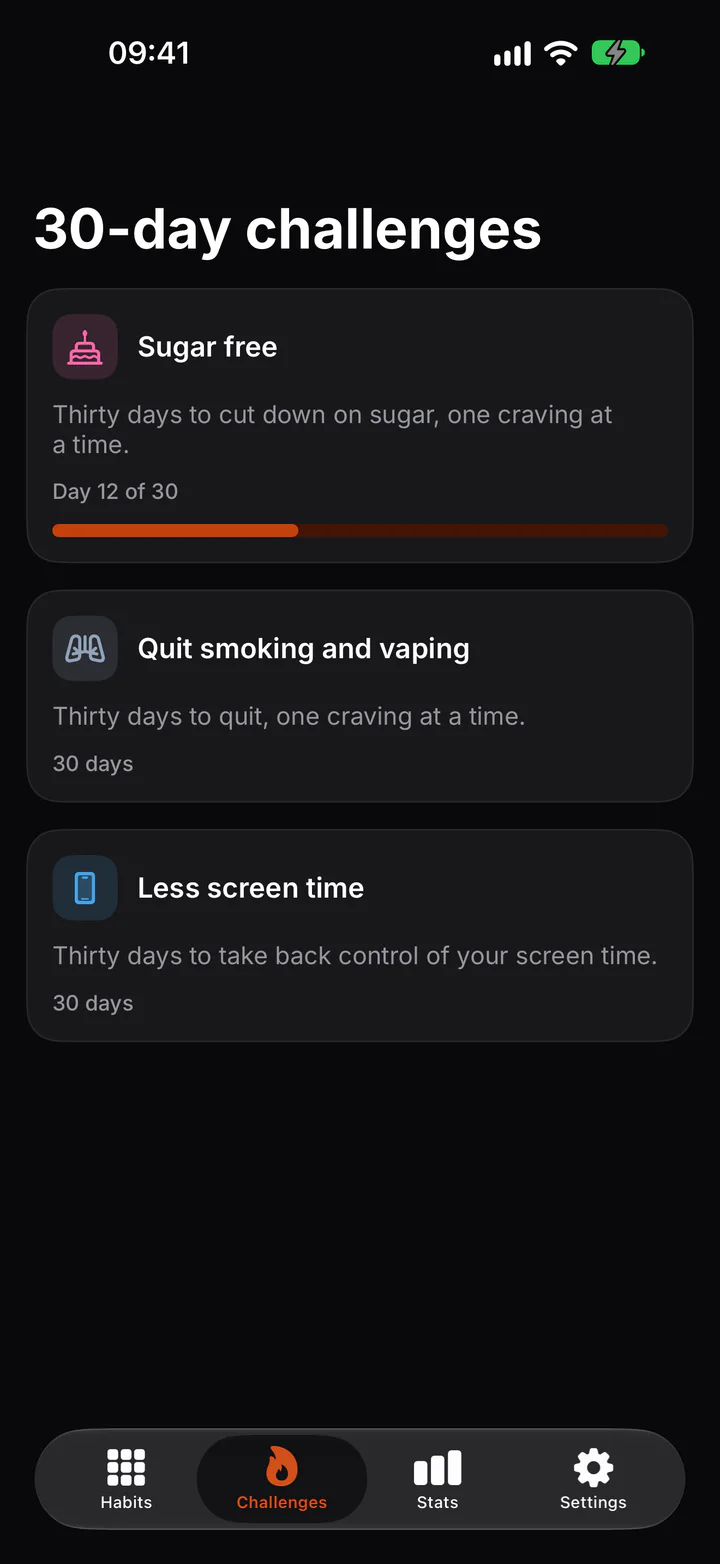
The challenge covers screen time across the whole day. If you only want to work on evenings, create your own habit of the “Quit” type instead, named after your rule. Either way, tracking works the same: a habit to quit is tracked every day, and each day counts as clean as long as you report nothing. On nights when you keep your rule, you have no reason to open the app. Which is convenient, since your phone is in the hallway.
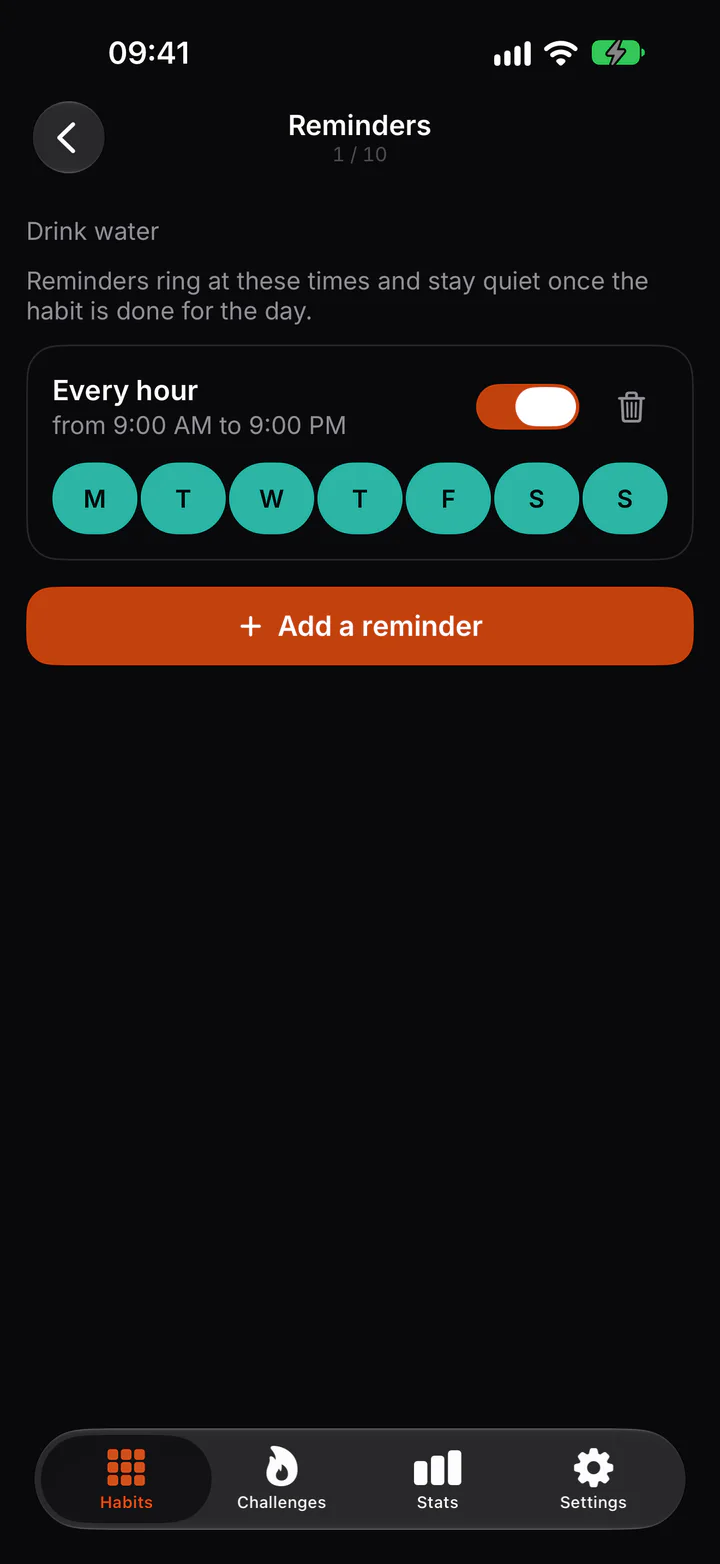
A reminder can act as your stop signal. On the habit’s “Reminders” screen, add an “At a set time” reminder set to your cutoff time. When it goes off, you put the phone on its charger.
The nights you give in
Some nights you’ll look at your phone in bed, after a hard day or bad news, or because a game kept you up. The next morning, log the slip: that’s what the “I slipped” button is for, and the app also lets you log a slip for the day before. Your streak restarts from zero, and your grid keeps every clean evening.
Add a two- or three-word note about what happened. After a month, the notes often point to one specific trigger: the phone picked up “just for the alarm,” nights when you’re alone, Sundays. You can then fix that one point without touching the whole rule. The article on streaks and slips explains how to read a grid with gaps without giving up on it.
If slips outnumber clean evenings, your rule is too ambitious for now. Go back to the lightest version, no phone in bed, keep it for a month, then move the time earlier. The method is the same for other habits to quit: the article on sugar applies it to desserts and sweet drinks.
For a vacation week when the rule doesn’t apply, you don’t have to pile up slips. You can pause a habit to quit from the menu of its page with “Pause tracking,” and choose “Resume tracking” when you’re back.
Frequently asked questions
What time should I stop using screens at night?
France’s national health insurance (Assurance Maladie) advises limiting screens in the evening and ideally stopping one hour before bed. Start from the time you actually go to bed and count back one hour. If that’s too much at first, start with thirty minutes and extend it later.
Does TV count?
You set the rule. Many people start with the phone alone, because it follows you into bed and never ends. A movie has closing credits; a feed doesn’t. You can extend the rule to TV once the first part holds.
How do I wake up if my phone isn’t in the bedroom?
With a regular alarm clock, or with your phone in the hallway and the alarm loud enough to hear. The second option also forces you to get up to turn it off.
Isn’t it odd to track this habit in an app?
Not with a habit to quit. In HabitLove, every evening counts as clean by default: you don’t open anything on the nights that go well. You only log a slip, the next morning if you like.
Sources

Track this habit in HabitLove
One grid per habit, with reminders and streaks. Free, no account needed.