Habit Tracker Privacy: Where Your Habit Data Goes
The short answer
Your habit data describes your health, your schedule and your struggles, so it deserves the same care as a private journal. Before you pick an app, check whether it requires an account, where it stores your data and what it says it collects. HabitLove keeps everything in a file on your device, with no account and no server. On iPhone, its backup goes to your own iCloud Drive.
What your habits say about you
Kept up over several months, a list of habits paints a fairly precise picture of your life. “No alcohol,” with its dated slips, tells a story you wouldn’t share with a stranger. “Take my medication” reveals a health condition. The times of your reminders show when you get up and when you go to bed, and your notes sometimes hold things you haven’t told anyone.
This information is personal, and some of it concerns your health. It deserves the same attention as your journal or your messages. Before you pick a tracking app, ask yourself where this data goes and who can read it.
Questions to ask a tracking app
You can answer the main questions in five minutes, without any technical skills.
Do you have to create an account? An account ties your data to an email address and usually means it’s stored on the developer’s servers. Your habits then leave your phone, which may or may not be fine with you.
What does the app’s store listing say? On the App Store, every page has an “App Privacy” section, and on Google Play a “Data safety” section. The developer fills it in with the data collected and how it’s used. Read it before you install. Our price and feature comparison of two grid habit apps, for example, sums up what each one declares. A habit app that declares it collects identifiers for advertising gives you useful information about how it makes money.
To find out whether the app works offline, turn on airplane mode and try checking off a habit. If everything works, your data is at least stored on the device.
Can you export your data? A full export, in a readable file, guarantees you can leave. The article on switching habit apps without losing your history shows what it’s for on the day you switch apps.
Finally, see whether there’s a clear option to erase everything, and what happens to copies of your data when you use it.
How HabitLove is built
HabitLove was designed to work entirely on your device. Your habits, checked days, notes and challenges are saved in a single file, kept in the space reserved for the app on your phone or tablet. Your preferences, such as the theme or the language, are stored in the app’s local settings.
There’s no account to create and no server behind the app. It includes no third-party components: no analytics tool, no ad network, no sign-in service.
Reminders follow the same logic. They’re local notifications, scheduled on your phone by iOS or Android. No server knows what time you plan to meditate.
What the privacy manifest declares
Apple asks apps to provide a privacy manifest, a small file that describes their practices. HabitLove’s contains four declarations.
The app does no tracking, which means it doesn’t link your data with data from other apps or websites for advertising. The list of tracking domains is empty. The list of collected data types is empty too.
The last declaration covers two system features the app uses and that Apple asks developers to justify. The first is local storage of preferences, including the space shared between the app and its widgets, which lets the widget show your grid. The second is reading the dates of its own files. In both cases, the app is accessing its own data, on your device.
Where your backups go
Data kept on a single phone disappears with it if you lose it or break it. That’s why HabitLove makes a daily backup.
On iPhone, this backup is saved in your iCloud Drive, in a HabitLove folder. That’s your personal storage, tied to your Apple Account. The app’s developer has no access to it, and the backup isn’t sent to anyone else. On a new iPhone signed in to the same Apple Account, “Restore a backup” finds these files. On Android, backups stay on the device, and Android’s automatic backup can keep a copy in your own Google account, as it does for your other apps.
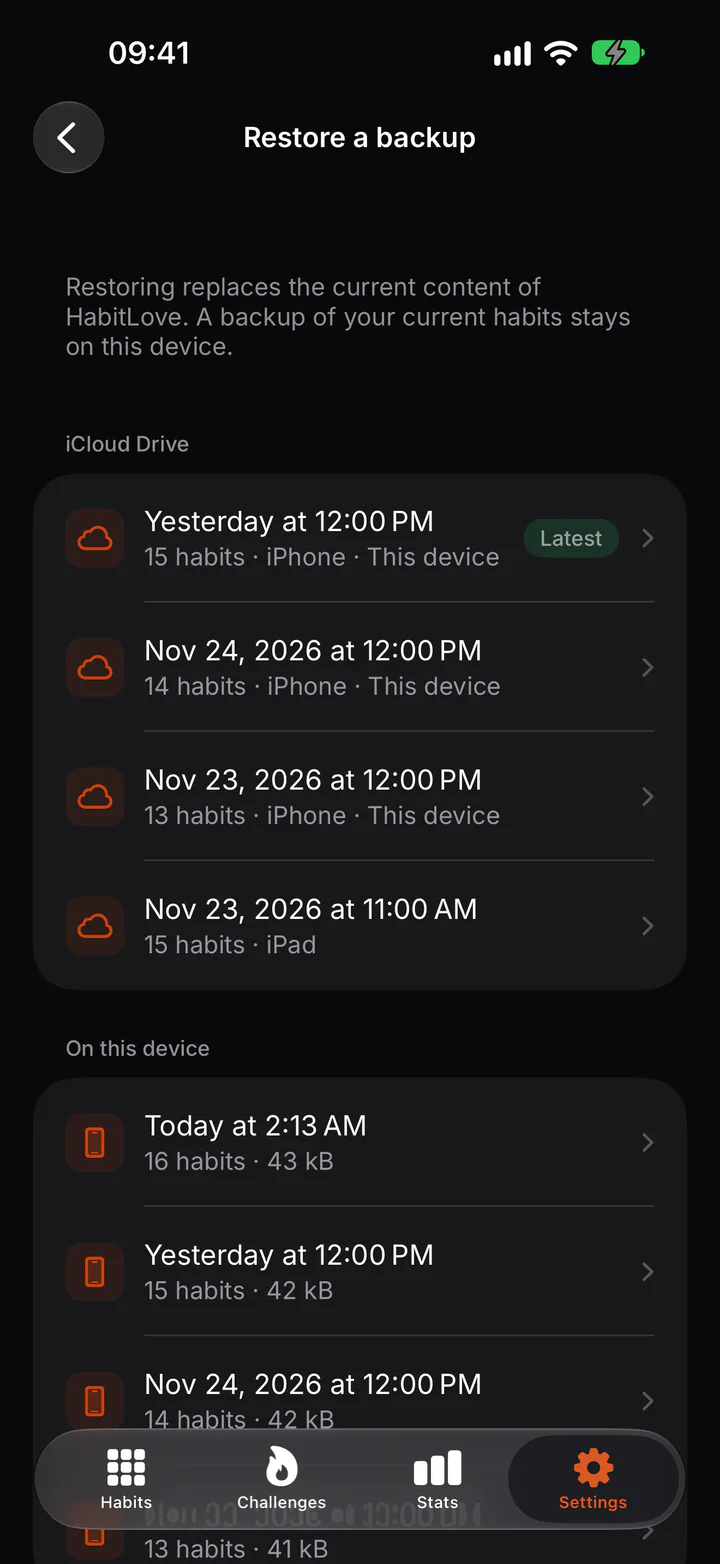
You decide on this setting. On the “Backup and restore” screen, you can choose the “This device” location so copies never leave your phone, or turn the daily backup off. Keep in mind that backups kept on the device disappear if you delete the app.
Once your backups are in iCloud, their protection depends on your Apple Account. A strong password and two-factor authentication are the two settings that matter most.
What leaves the app, and only when you decide
A few features take data out of HabitLove, and none of them runs unless you start it.
The export creates a file with all your habits, or a CSV file for a spreadsheet. You choose where to save it and who to send it to. The app doesn’t encrypt this file: treat it like any other personal document.
“Share my grid” creates an image of your progress that you send or post yourself. If you save it to your photos, your phone asks for permission to add the image. The app doesn’t read your photo library.
With an Apple Watch, your iPhone sends your watch what it needs to display today’s habits and their last few weeks. Your notes aren’t sent to the watch.
What your screen shows other people
A widget on your Home Screen shows the names of your habits to anyone who looks at your phone, and a reminder notification can appear on the Lock Screen.
Save widgets for the habits you don’t mind showing, and keep the most personal ones inside the app. The article on tracking your habits with a widget helps you choose which ones to display. For notifications, iOS and Android both let you hide notification previews on the Lock Screen, in their notification settings.
You can also pick a discreet name. Nothing forces a habit to be called “Quit smoking”: a word only you understand works just as well in the grid.
Limits to keep in mind
Because your data stays on your device, nobody else can recover it for you. If you turn off backups and lose your phone, your history is gone. Leave the daily backup on, or export a copy from time to time.
Your phone itself needs protecting. A passcode is still the first barrier between your data and whoever finds the device.
Last, a tracking app records whatever you give it. If you’re tracking how you quit a dependence, as in the article on how to quit sugar, your notes may contain health information. They stay with you, but the app doesn’t replace a doctor: for a dependence or a treatment, talk to a health professional.
Check for yourself
Once the app is installed, turn off Wi-Fi and cellular data, then create a habit and check it off: everything works. Next, on iPhone, open the Files app, go to iCloud Drive and look at the HabitLove folder: your backups are there, as files you can copy or delete.
The full privacy policy is available from the app’s settings and at the bottom of the HabitLove home page.
Frequently asked questions
Does HabitLove collect personal data?
No. Its privacy manifest, the file every app hands to Apple, declares that it does no tracking and collects no data. The app has no account, no server and no third-party component.
Where are my habits stored?
In a file saved on your phone or tablet, in the space reserved for the app. On iPhone and iPad, the daily backup puts a copy in your iCloud Drive, in a HabitLove folder, or on the device if you choose that location. On Android, backups stay on the device.
Can the developer see my habits?
No. The app doesn’t send your habits to any server of the developer’s, since it has none. On iPhone, backups go to your iCloud account, which the developer has no access to. On Android, they stay on the device.
How do I delete all my data?
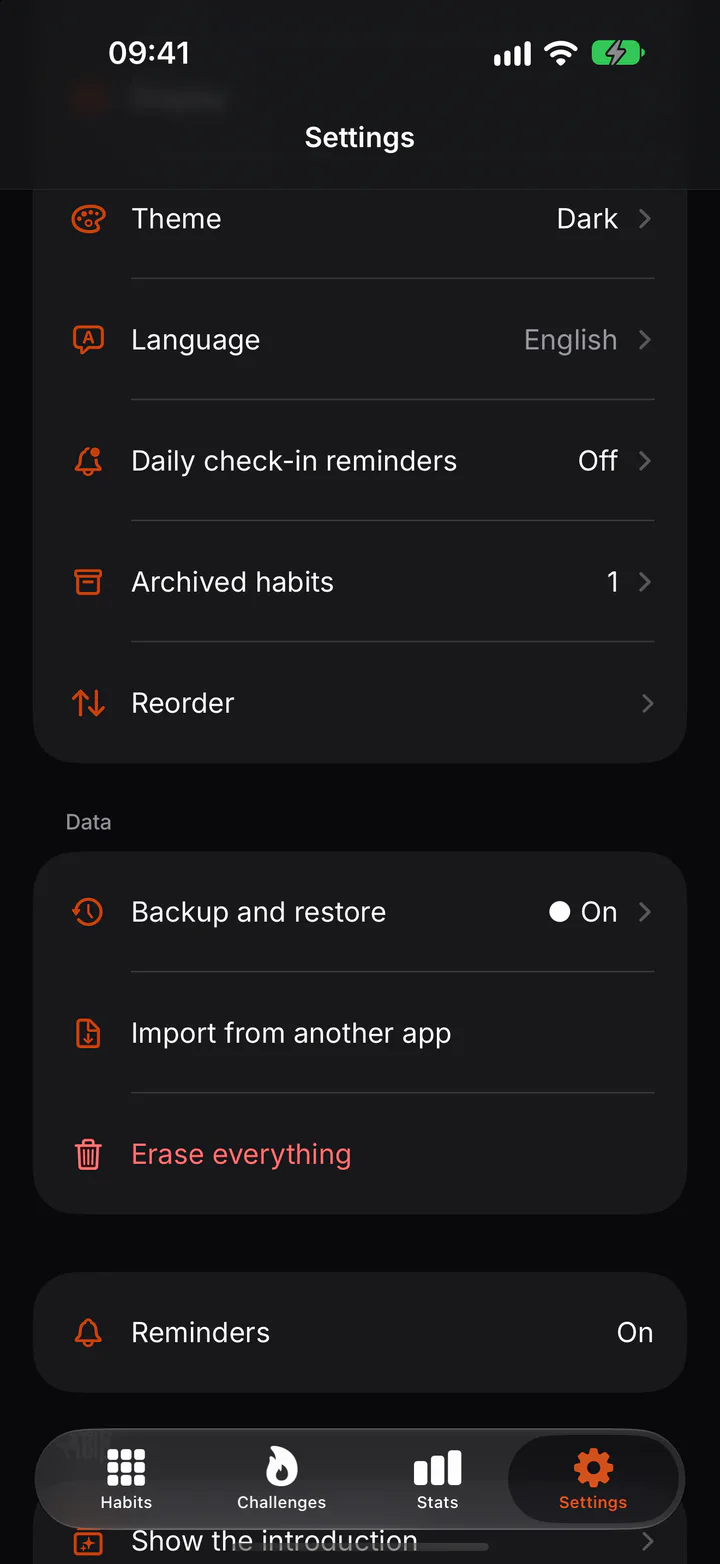
In the app’s settings, “Erase everything” deletes your habits and your history from the device. Your backups are kept: on iPhone, to remove them too, delete the HabitLove folder from your iCloud Drive using the Files app.

Track this habit in HabitLove
One grid per habit, with reminders and streaks. Free, no account needed.