HabitKit vs HabitLove: Prices and Features Compared

The short answer
HabitKit and HabitLove share the same idea: one grid per habit, one tile per day. HabitKit is free for up to four habits, then you need HabitKit Pro ($1.99 a month, $11.99 a year or $29.99 for life on the US App Store, as of November 26, 2026). HabitLove is completely free, with no account, and includes widgets, statistics and an Apple Watch app.
Two apps built on the same grid
If you’ve looked for a grid-style habit tracker on iPhone, you’ve probably come across HabitKit. It’s a polished app with good ratings on both the App Store and Google Play. Each habit gets its own grid, and every day you complete fills in a square.
HabitLove is built on the same idea, so the two apps work in much the same way. They differ mainly in what you have to pay for and in which devices they run on. This comparison draws on HabitKit’s App Store and Google Play listings, its website and its help center, all checked on November 26, 2026. HabitLove’s features are those of the current app.
Prices, line by line
HabitKit is free for up to four habits. Beyond that, and for several features, you need HabitKit Pro, sold as a monthly plan, a yearly plan or a one-time lifetime purchase. HabitLove has no paid plan: everything is included from the moment you install it.
| Plan | HabitKit, App Store France | HabitKit, App Store US | HabitLove |
|---|---|---|---|
| Free version | Yes, up to 4 habits | Yes, up to 4 habits | Yes, no limit |
| Monthly subscription | €1.99 | $1.99 | $0 |
| Yearly subscription | €12.99 | $11.99 | $0 |
| Lifetime purchase | €34.99 | $29.99 | $0 |
| Free trial | None mentioned | None mentioned | Not applicable |
| To unlock everything | €34.99 once | $29.99 once | $0 |
Prices taken on November 26, 2026 from HabitKit’s App Store listings in France and the United States. In France, these are also the amounts the app showed on its Pro screen when we tried it. Both listings show other amounts for the same plans (from €0.99 to €69.99 in France) without saying who they apply to: they may be limited-time offers or older prices. Prices also vary from country to country. The Google Play listing mentions in-app purchases without showing amounts, so we couldn’t check prices on Android.
Over one year, HabitKit Pro costs $11.99 in the US, and the lifetime purchase becomes the better deal if you keep the app for a long time. HabitLove costs nothing.
Features, side by side
| Feature | HabitKit | HabitLove |
|---|---|---|
| Year grid for each habit | ✓ | ✓ |
| Home screen views | 3 | 4 (Cards, Compact, List, Month) |
| Habits to build and habits to quit | ✓ | ✓ |
| Yes / No, Counter, Measure | ✓ | ✓ |
| Streaks and streak goal | ✓ (streak goal display: Pro) | ✓ |
| Reminders per habit | 1, up to 3 with Pro | Up to 10, including several a day |
| Guided challenges | ✗ | ✓ (30-day challenges) |
| Statistics and charts | Pro | ✓ |
| Categories and filter | ✓ | ✓ |
| Notes on each day | ✓ | ✓ |
| Home Screen widgets | Pro | ✓ |
| Apple Watch app | ✗ | ✓ |
| Android | ✓ | ✓ |
| iCloud backup and file export | ✓ | ✓ (file or CSV) |
| Import from another app | Not stated | ✓ (HabitKit export) |
| Unlimited habits | Pro | ✓ |
| Languages | 17 | 20 |
| Account required | ✗ | ✗ |
| Data collected | Purchases, coarse location, usage, diagnostics (per its App Store listing) | None |
HabitLove isn’t in the stores yet: its column describes the app as it will ship, on iPhone, iPad, Apple Watch and Android. The “Pro” cells mark what HabitKit keeps for its paid plan, based on its listing and its purchase screen. For Apple Watch, HabitKit’s help center says there is no app for the watch.
What HabitKit does well
HabitKit is a mature app. Its grids are easy to read. A habit you want to quit counts each day as a success until you log a slip, and you can set a daily limit, two coffees for example. Schedules are flexible: specific days, a number of times per week or per month, or an interval of a few days. The daily backup to iCloud Drive and the file export are free.
It’s also available today, on iPhone and on Android. If you track three or four habits and need neither widgets nor statistics, the free version is enough. If you want to support an independent developer, the lifetime purchase lets you do that with a single payment.
What HabitLove does differently
HabitLove covers the same basics: a year grid, habits to build or to quit, Yes / No, Counter or Measure, a goal and a streak. None of its features sit behind a paid plan. You can create as many habits as you like, and the statistics are there from day one, including the Overall page of the Stats tab. All three widget sizes are included too, as the article on widgets explains.
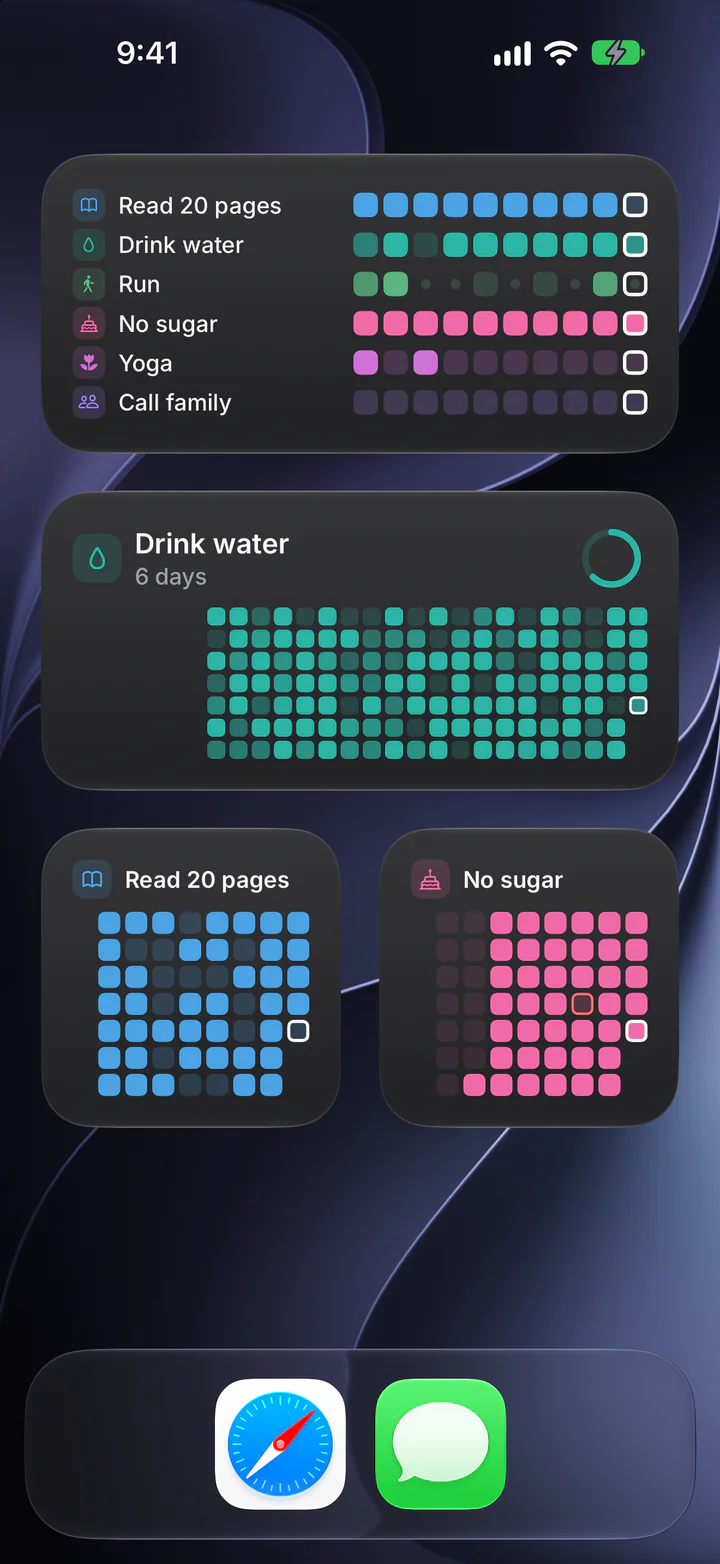
A few features have no counterpart in HabitKit. The Apple Watch app shows today’s habits and lets you check them off from your wrist. The Challenges tab offers guided 30-day programs, such as Sugar free, Quit smoking and vaping, and Less screen time, with one tip per day. Reminders can repeat, every hour for example, and the notification offers “Done” or “Later.”
On privacy, both apps work without an account and keep your habits on your device. HabitLove collects no data: it has no server and no analytics tool. The daily backup goes to your own iCloud Drive. If you want to know exactly where your files are stored, the article on the privacy of habit data covers it.
HabitLove is newer, so it’s less proven. It isn’t in the stores yet: it’s coming soon to iPhone, iPad and Apple Watch, and to Android phones and tablets.
Moving from one to the other
If you already use HabitKit, you can bring your history with you. In HabitKit, open the settings, go to the backup section and export a copy of your data: you get a file. In HabitLove, tap Settings, then “Import from another app,” and pick that file.
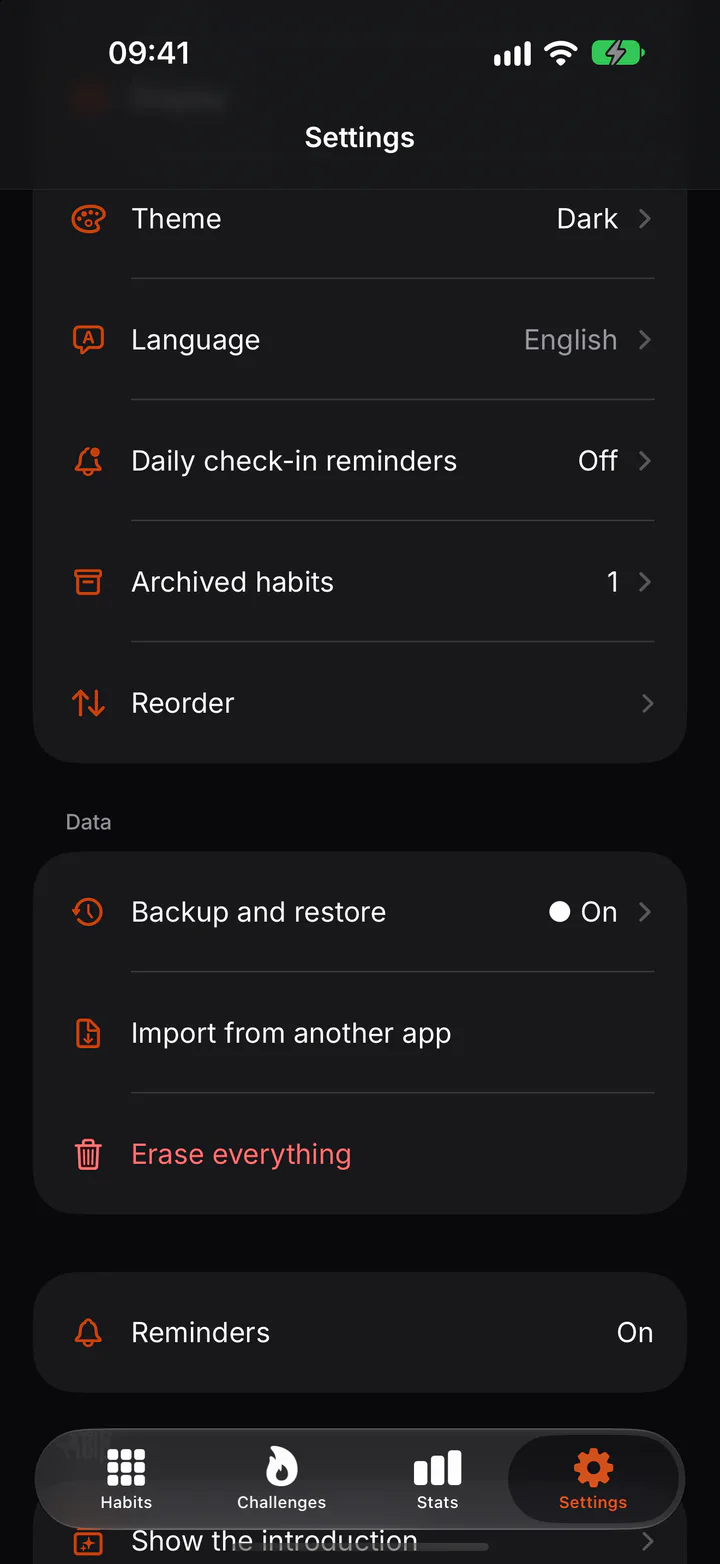
Before changing anything, the app shows how many habits and days it found, and lists under “Good to know” whatever couldn’t be carried over as is. You then choose “Add to my habits” or “Replace my data.” The steps and the checks to run afterward are in the guide to switching apps without losing your history. Keep HabitKit installed for a few days so you can compare the two grids.
Which one to choose
You track four habits or fewer and don’t need widgets or statistics: HabitKit’s free version does the job, and you can start using it right away.
You want to start today, on iPhone or on Android: go with HabitKit, since HabitLove isn’t in the stores yet.
You’ve already bought HabitKit Pro for life and you’re happy with it: nothing says you have to switch.
You want more than four habits, plus widgets and statistics, without paying: HabitLove covers all of that for free.
You wear an Apple Watch, or you want a guided program to cut out sugar, tobacco or late-night screens: HabitLove offers both, and HabitKit has neither. For an addiction, talk to a health professional as well.
HabitLove will be free and need no account from launch, and the import will let you try it with your own history.
Frequently asked questions
Is HabitLove really free?
Yes. HabitLove has no subscription, no in-app purchase and no ads. Unlimited habits, statistics, widgets, multiple reminders and the Apple Watch app are all included, and you don’t need to create an account.
How much does HabitKit Pro cost?
On the US App Store, on November 26, 2026: $1.99 a month, $11.99 a year or $29.99 once for lifetime access. In France, the listing shows €1.99, €12.99 and €34.99. Prices vary by country and can change, so check them in the app before you buy.
Can I move my habits from HabitKit to HabitLove?
Yes. Export a copy of your data from HabitKit to a file, then in HabitLove open Settings and “Import from another app.” The app reads the file, shows you what it contains, and you choose “Add to my habits” or “Replace my data.”
Is HabitLove available on Android?
Yes. HabitLove is coming to iPhone, iPad and Apple Watch, and to Android phones and tablets, with widgets. It isn’t in the stores yet.
Sources

Track this habit in HabitLove
One grid per habit, with reminders and streaks. Free, no account needed.